PSU measurements
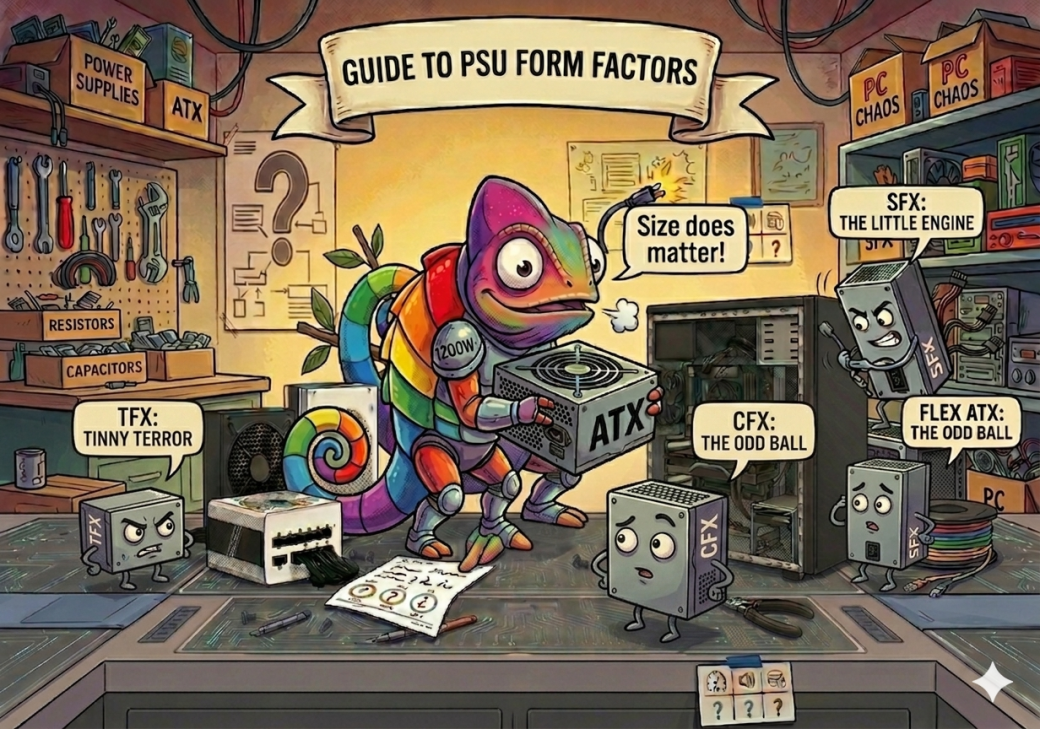
Most desktop PCs use the ATX (PS2) standard, which is why replacing a failed unit is usually straightforward. Compact, branded and rack-mounted systems are where things get specific — a slim desktop, a Mini-ITX build and a 1U server enclosure can each demand a completely different shape, even when the connectors inside are identical.
- Measure width, height and depth in millimetres — not inches.
- Check the label on the side of your existing PSU; the form factor is often printed there.
- Confirm the screw hole positions line up, not just the overall footprint.
- Note where the power inlet and switch sit — some variants share dimensions but mount the socket on a different face.
ATX, SFX, TFX and 1U Flex are the four you'll meet most often — everything else below is a variant built for a specific case design.
The footprints found in the vast majority of home, office and gaming desktop cases.
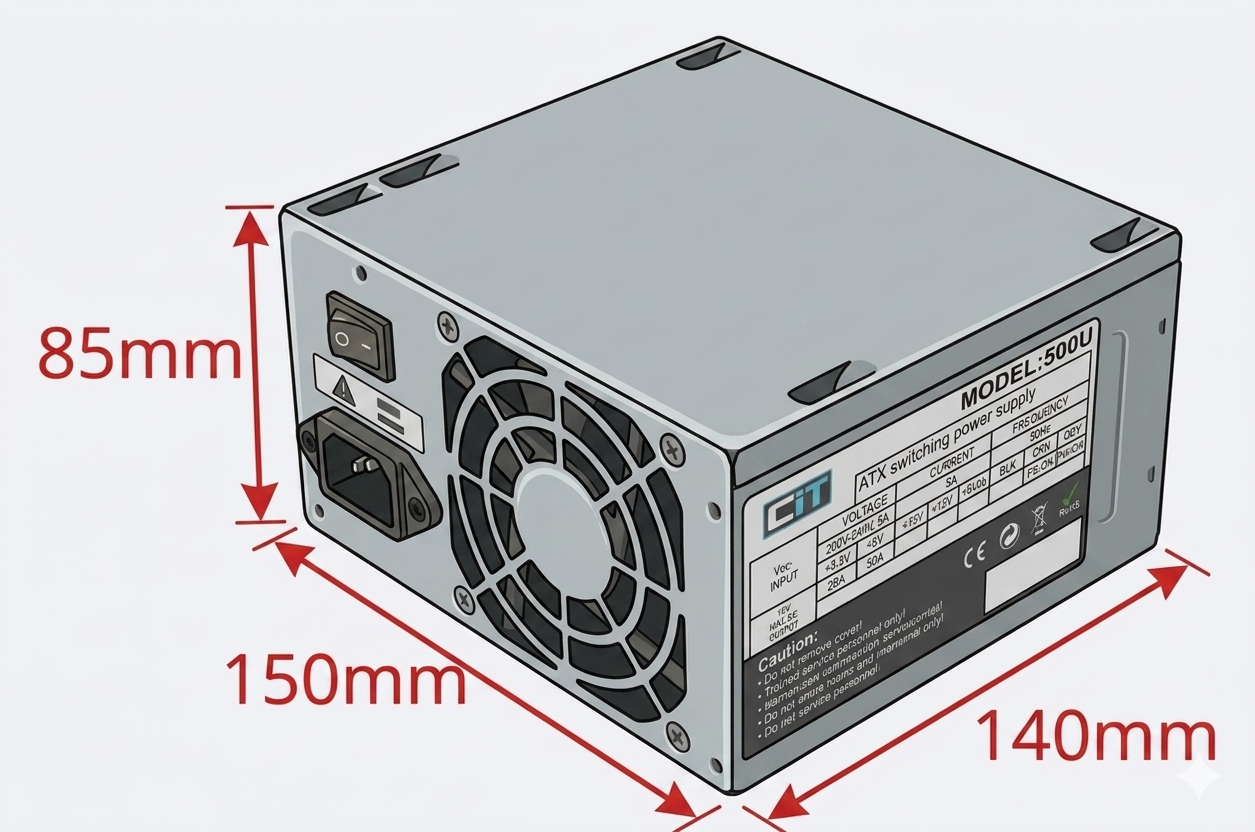
ATX (PS2)
150 × 85 × 140 mm
The industry-standard footprint used by most mid-tower and full-tower cases since the late 1990s. Widely interchangeable across brands. Best for: home & office towers, gaming PCs, general workstations.
|
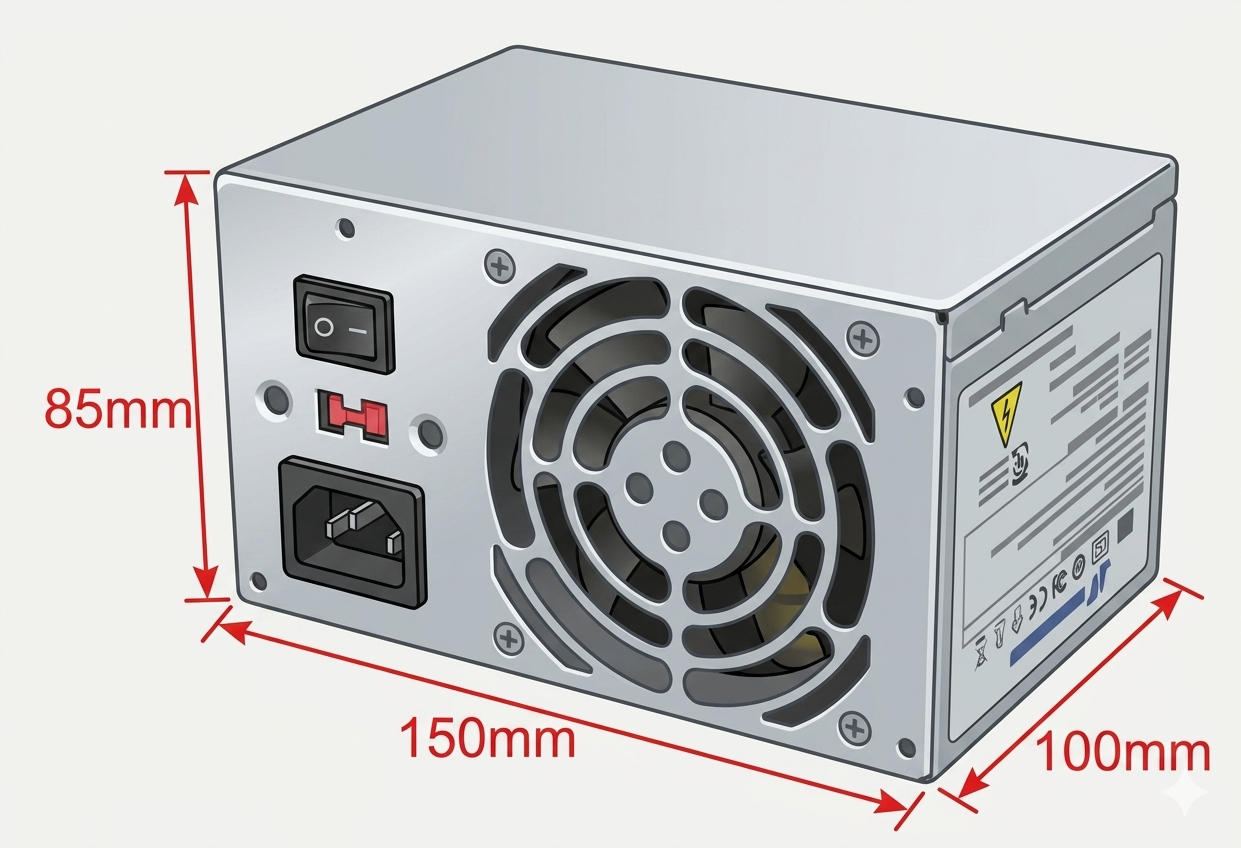
PS3
150 × 85 × 100 mm
A shortened ATX variant — same width and height, roughly 40mm shallower. Useful where a drive cage limits internal depth. Best for: compact towers with restricted depth.
|
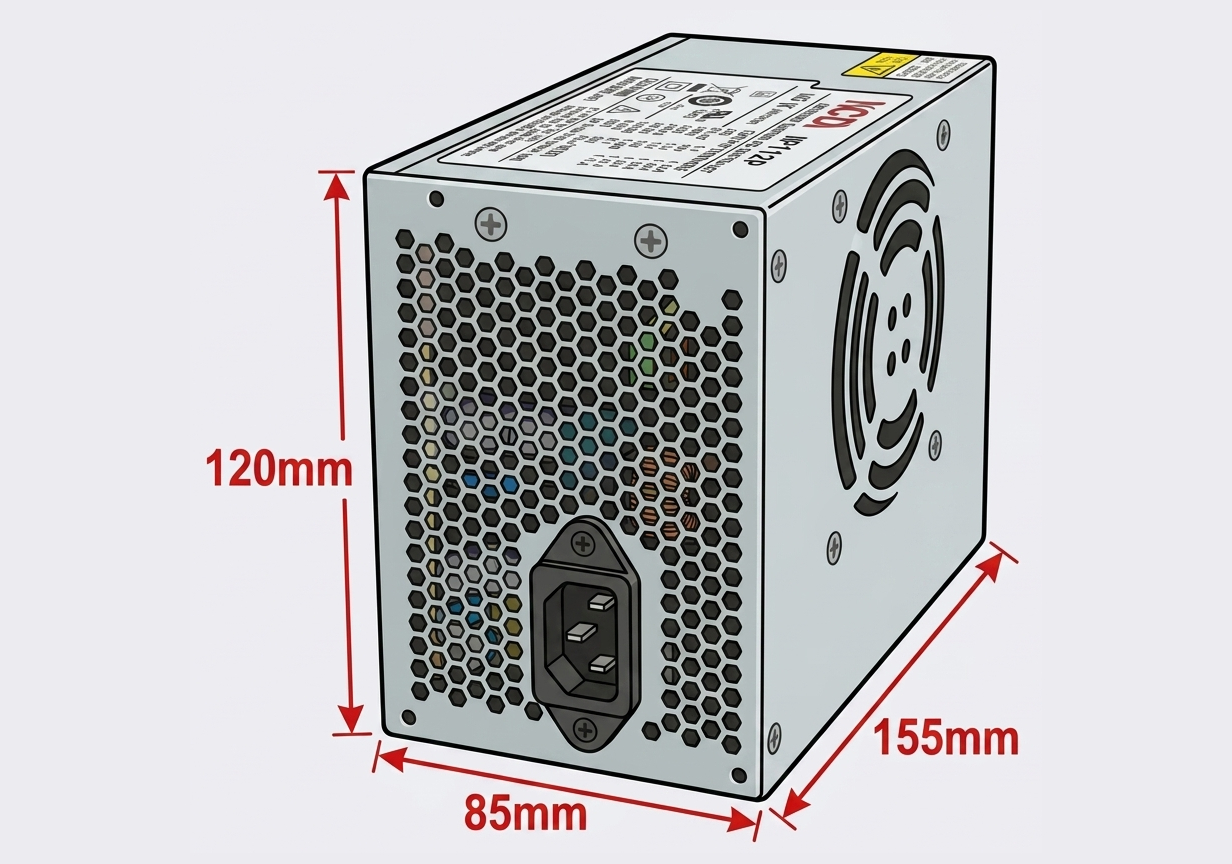
Slim ATX
85 × 120 × 155 mm
A flatter take on the ATX mounting pattern, built for low-profile desktop chassis rather than a full-height tower. Best for: branded slim-line desktops (HP, Dell).
|
Smaller footprints for slimline, Mini-ITX and space-constrained builds.
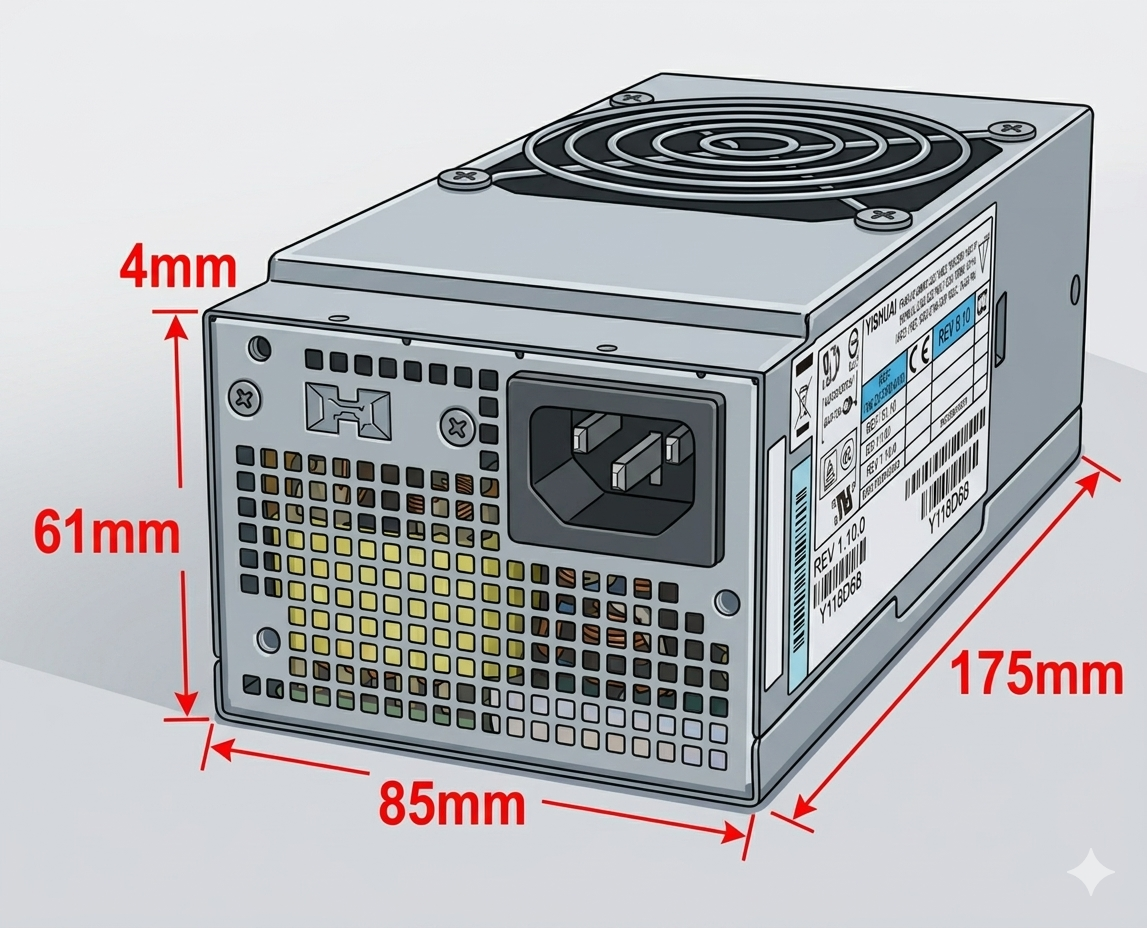
TFX
65 × 85 × 175 mm
Thin Form Factor — narrow and long rather than square, built to slide into a slimline chassis an ATX unit couldn't fit inside. Best for: slimline desktops, SFF and HTPC cases.
|
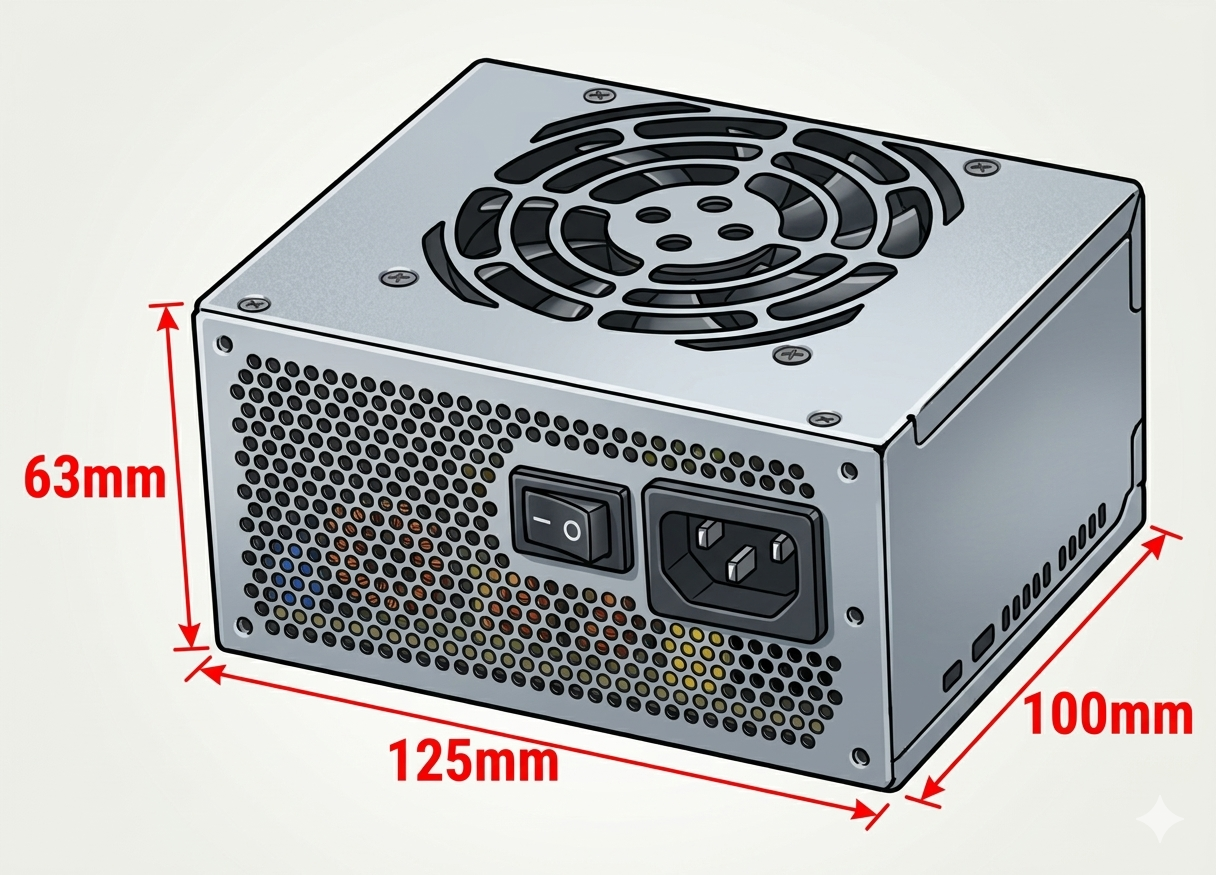
SFX
125 × 76 × 100 mm
Small Form Factor — roughly two-thirds the footprint of ATX, still capable of respectable wattages. Default choice for Mini-ITX. Best for: Mini-ITX builds, compact gaming PCs.
|
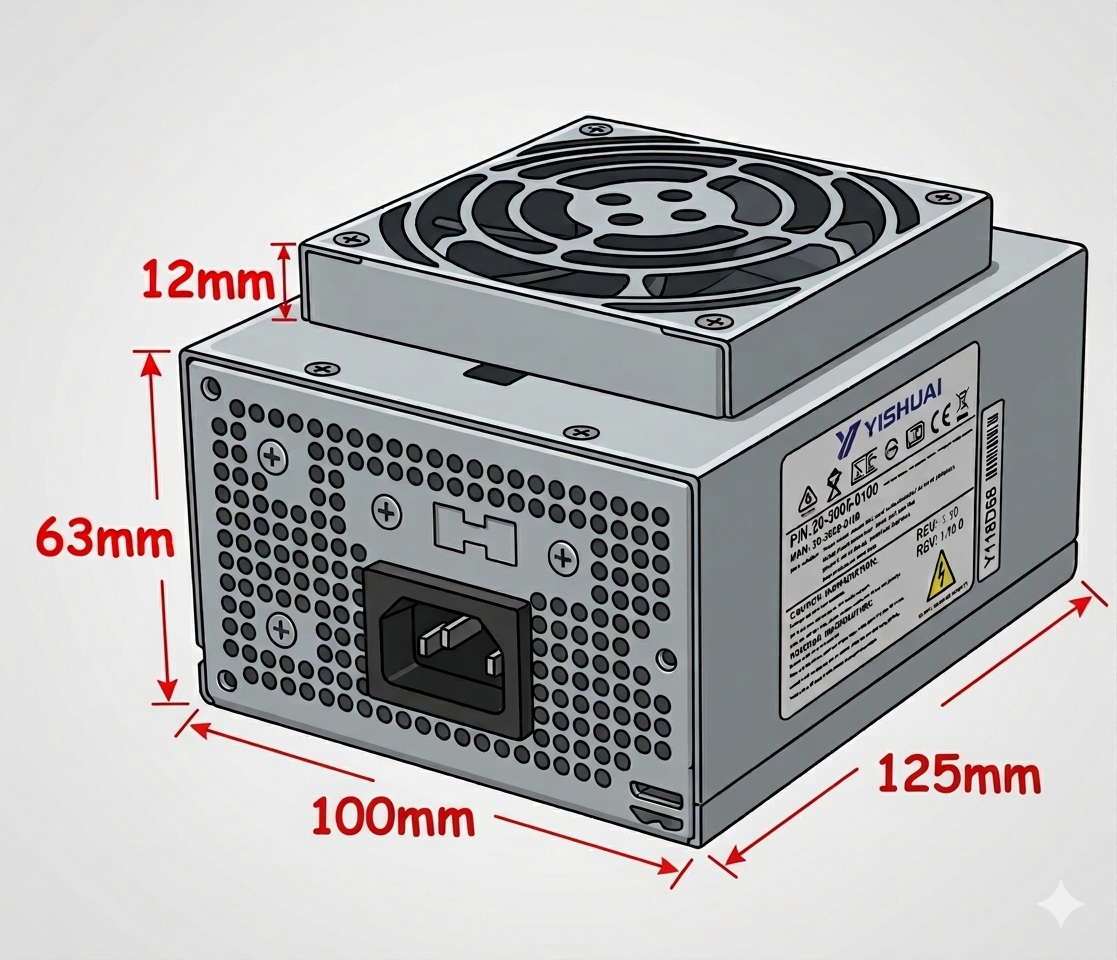
SFX Short
63 × 100 × 125 mm
An SFX variant with the power inlet on the short side rather than the rear panel, for cases needing the socket to face another direction. Best for: Mini-ITX cases with a side- or top-mounted bay.
|
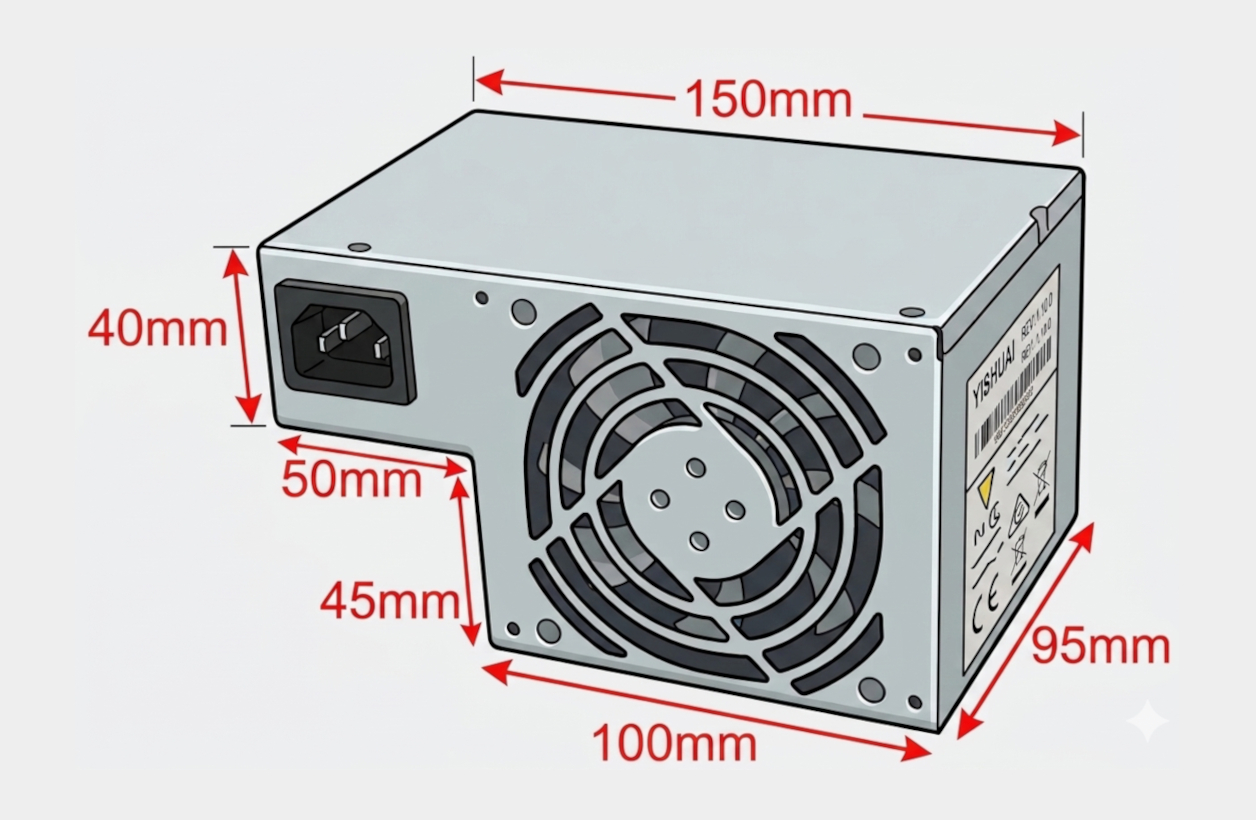
CFX
85 × 150 × 95 mm
A less common footprint used by a handful of compact branded desktop machines — avoids paying a premium for an OEM-only part. Best for: select compact desktop models.
|
Built for rack-mounted, industrial and network-storage enclosures with strict height limits.
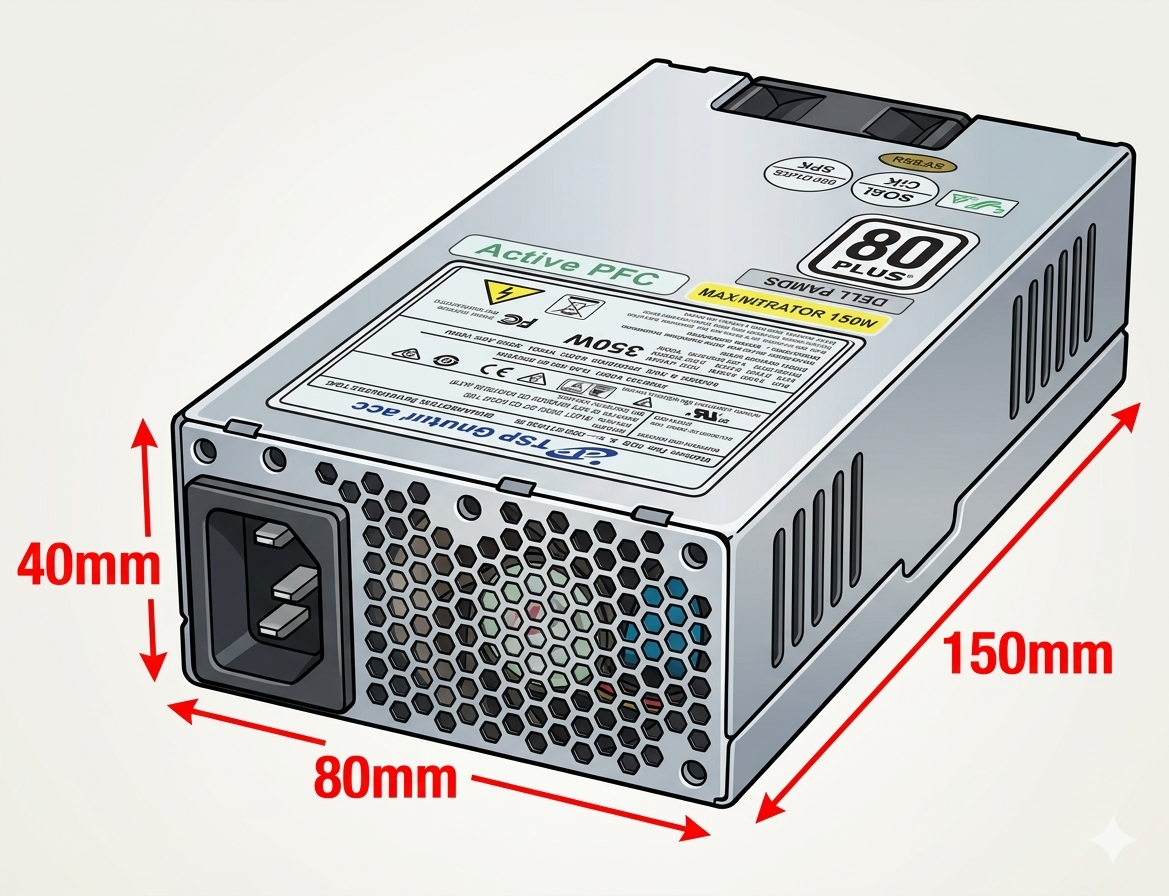
1U / 1U Flex
80 × 40 × 150 mm
A very low-profile unit built to fit inside a single rack unit of height. Compact enough for POS terminals too. Best for: 1U rack servers, POS/EPOS systems.
|
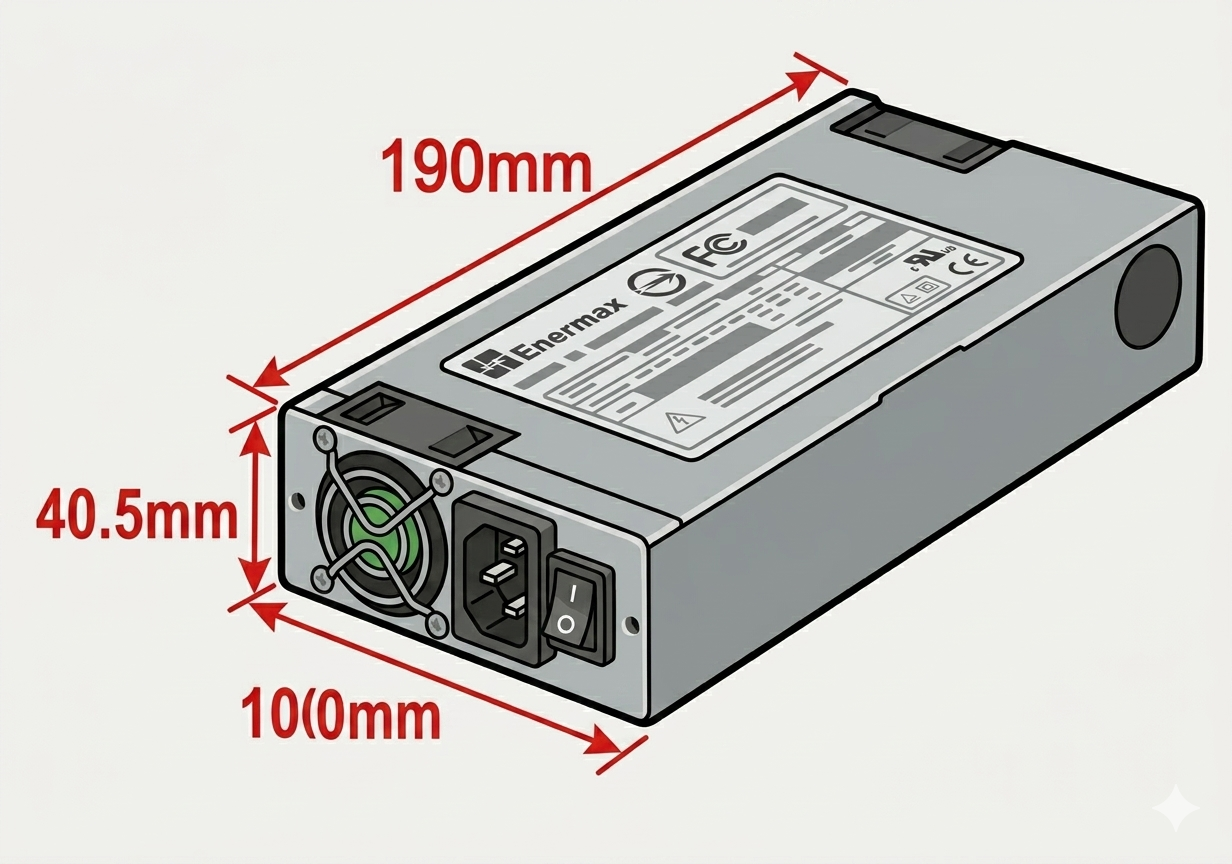
1U 100mm
40 × 100 × 190 mm
A taller, narrower 1U variant built for the deep, narrow bays typically found in NAS enclosures. Best for: 1U rack servers, NAS units.
|
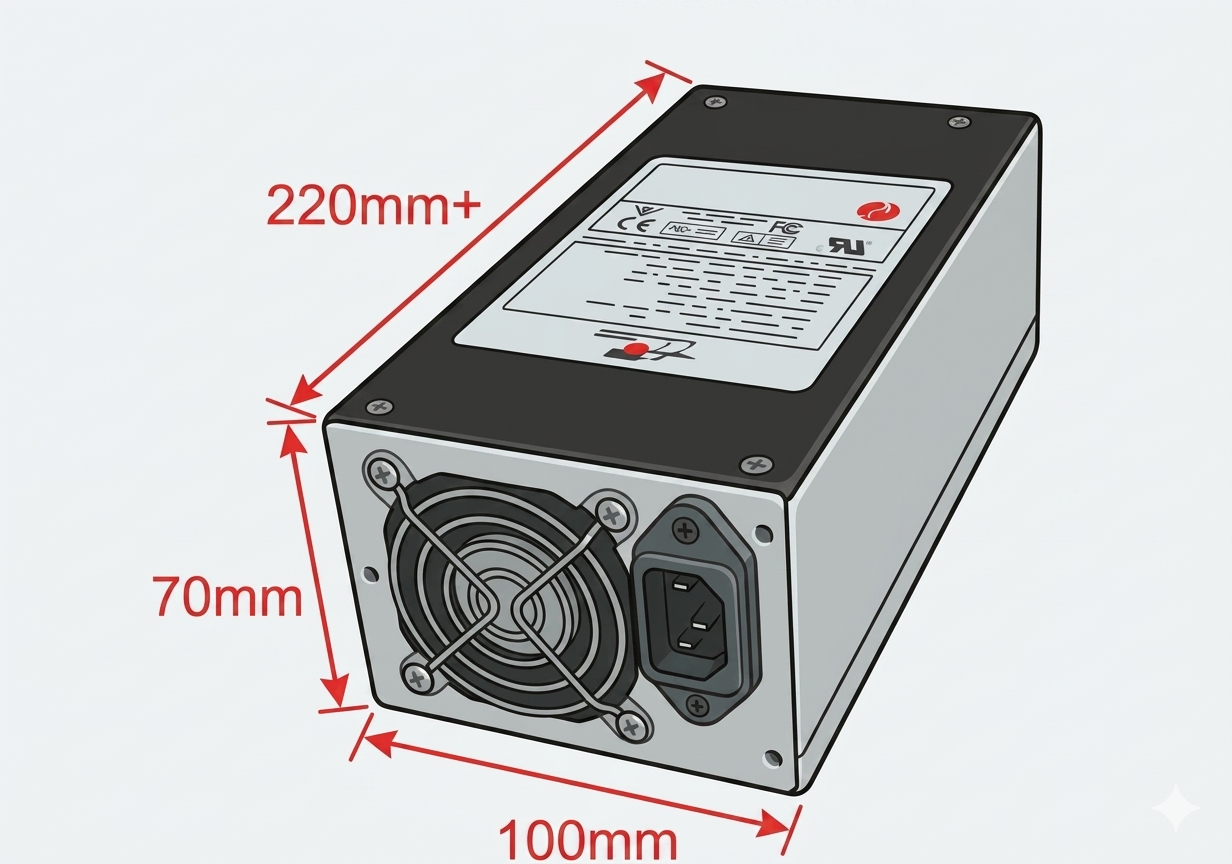
2U PSU
70 × 100 × 220 mm
Built for 2U industrial rack enclosures — more usable depth than 1U, while respecting a tight height allowance. Best for: 2U racks, networking & industrial gear.
|
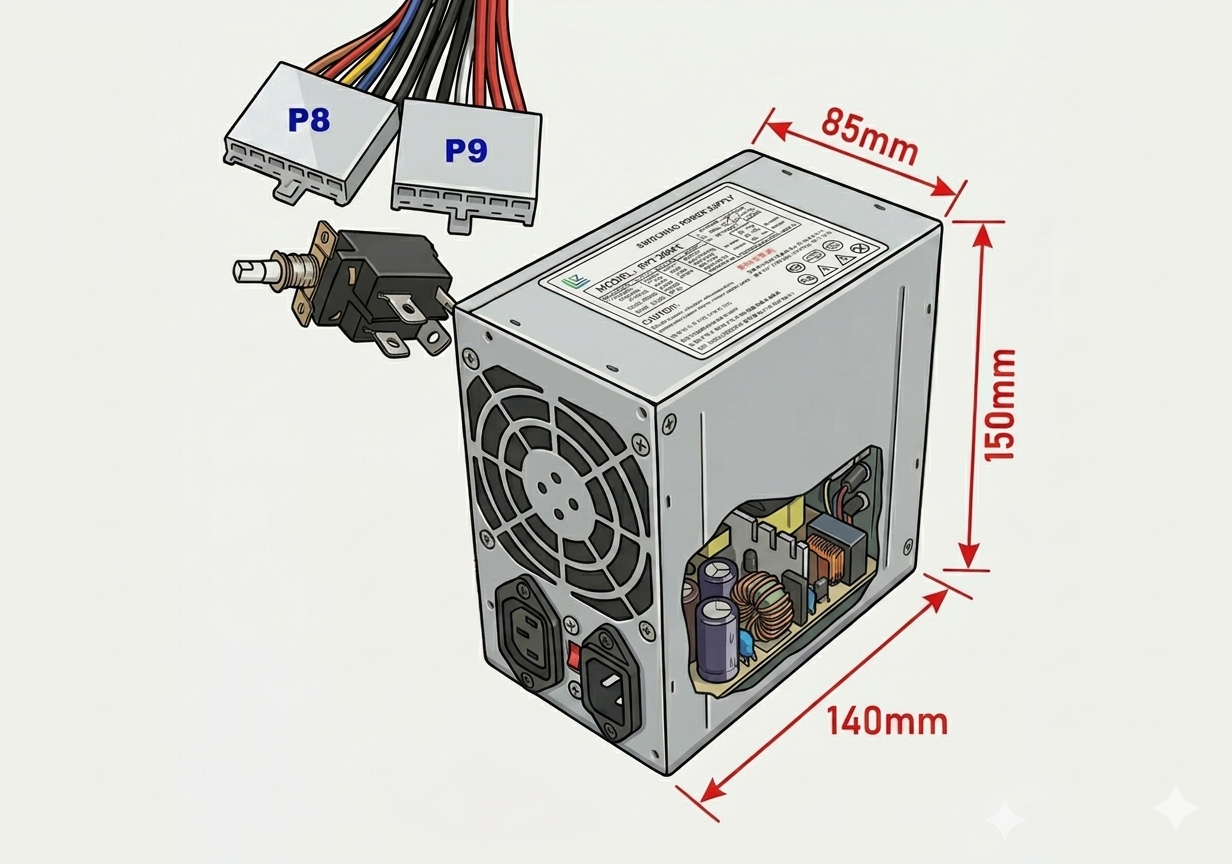
AT
150 × 85 × 140 mm
Shares its outer dimensions with ATX, but uses the older P8 & P9 connector pair and a physical mains rocker switch rather than a 24-pin connector. Best for: retro builds and legacy equipment.
|
All eleven form factors side by side. Dimensions are Width × Height × Depth in millimetres.
| Form factor | Category | Dimensions (W × H × D) | Typically found in |
|---|---|---|---|
| ATX (PS2) | Desktop & tower | 150 × 85 × 140 mm | Mid/full-tower desktops |
| PS3 | Desktop & tower | 150 × 85 × 100 mm | Compact towers |
| Slim ATX | Desktop & tower | 85 × 120 × 155 mm | Branded slim desktops |
| TFX | Compact / SFF | 65 × 85 × 175 mm | Slimline desktops, HTPCs |
| SFX | Compact / SFF | 125 × 76 × 100 mm | Mini-ITX builds |
| SFX Short | Compact / SFF | 63 × 100 × 125 mm | Mini-ITX, side-socket cases |
| CFX | Compact / SFF | 85 × 150 × 95 mm | Select branded compacts |
| 1U / 1U Flex | Rack, server & NAS | 80 × 40 × 150 mm | 1U servers, POS systems |
| 1U 100mm | Rack, server & NAS | 40 × 100 × 190 mm | 1U servers, NAS units |
| 2U PSU | Rack, server & NAS | 70 × 100 × 220 mm | 2U racks, industrial gear |
| AT | Legacy | 150 × 85 × 140 mm | Retro & legacy PCs |
Replacing a failed unit? Three checks are usually enough to identify the correct form factor before you order.
|
1
Read the labelThe form factor is often printed on the side sticker, alongside the wattage — look for text like "ATX", "SFX" or "TFX". |
2
Measure W × H × DUse a tape measure in millimetres, following the Width × Height × Depth order used throughout this page. |
3
Check the screw patternOverall size isn't quite enough — confirm the four mounting holes line up with your case's PSU bay. |
Once the case fits, the next check is connectors. Our full PSU Connectors guide covers pin counts, voltages, wire colours and pinout diagrams for every connector type — from the everyday (ATX, SATA, Molex) to proprietary NAS connectors from Synology, QNAP and others.
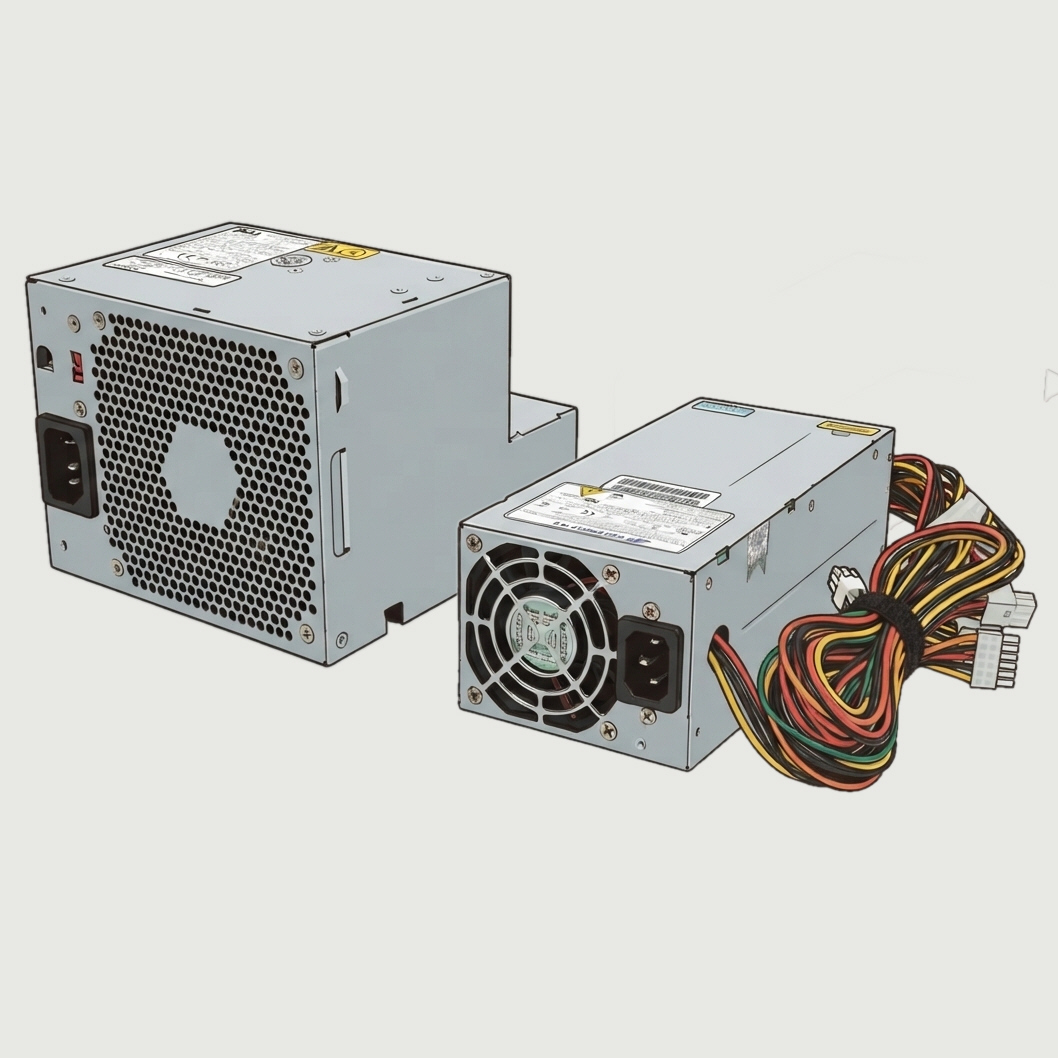
Examples of proprietary PSUs we've sourced replacements for
|
The eleven form factors above cover the vast majority of PSUs you'll ever need to replace — but not all of them. Some NAS, RAID and networking manufacturers (Synology, QNAP, Netgear ReadyNAS and Promise Pegasus among them) build units around a proprietary body shape or mounting pattern that doesn't match any published standard, on top of sometimes also using a proprietary connector. If you're staring at a PSU that doesn't resemble anything on this page, you're not necessarily out of luck — send us a photo of the unit (and its label, if legible) and we'll do our best to identify it and find a compatible replacement or adaptor. |
|
Not sure which one you need?
Send us a photo of your existing PSU and its label — we'll confirm the exact form factor and point you to a compatible replacement.
|
Browse Power Supplies → |